
/Integrations5 min read
Give NanoClaw a Live View of the Web With Tavily — No API Key Required
The Tavily integration gives your agent live web search and clean source extraction wherever you use it with NanoClaw: In your channels, schedules, and workspace. Here's a run through on use cases and how to get a keyless start.

A personal agent is more useful when it can work with current information. NanoClaw gives it a persistent home in your channels, schedules, and workspace, while the new Tavily integration gives it live web search and clean source extraction. In this blog, I cover how the integration helps developers and non-developers, ideas of what you can build, and how to get started for free.
TL;DR
- NanoClaw runs persistent, isolated agents in Slack, Telegram, Discord, WhatsApp, and the CLI.
- Tavily adds Search and Extract for current, source-backed answers.
- Start keyless, then connect a Tavily key when you need more capacity without exposing it to the agent.
- Use the combination for developer research, scheduled intelligence briefs, and source-backed chat assistants.
What is NanoClaw?
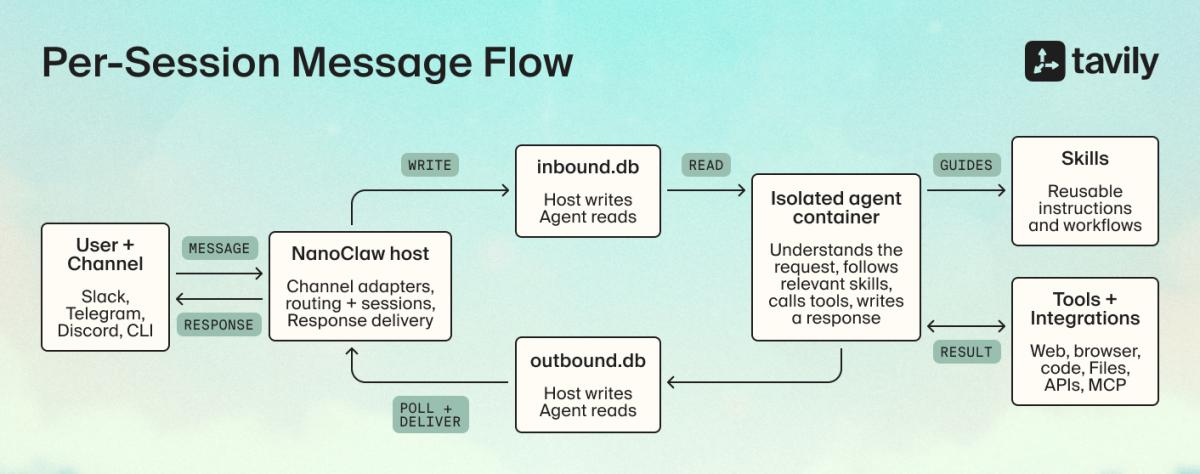
NanoClaw is an open-source personal assistant runtime. A Node.js host receives channel messages, routes each one to the right agent group and session, wakes an isolated container, and sends the response back through the same channel.
Each session uses inbound.db for host-to-agent messages and outbound.db for agent-to-host messages, with one writer per database. Agent groups keep their own workspace, instructions, memory, tools, and container configuration, while conversations remain separate sessions.
Why Tavily × NanoClaw
Developer questions often depend on information that changed after the model was trained. How the integration solves this issue is that NanoClaw keeps an agent available in Slack, Telegram, or the CLI, gives it a persistent workspace and memory, supports scheduled tasks, and runs each session in an isolated container, and then Tavily lets the agent check current documentation, package releases, API changes, incidents, and security advisories.
The agent can check current framework docs before suggesting code, compare release notes before an upgrade, investigate recent GitHub issues, or turn several API references into an implementation plan. It can also save findings in its workspace to continue with later.
Tavily Search identifies relevant sources, and Tavily Extract converts selected pages into clean content. The agent can search, read, compare, and return a sourced answer in one conversation.
Keyless first, then an extended free path
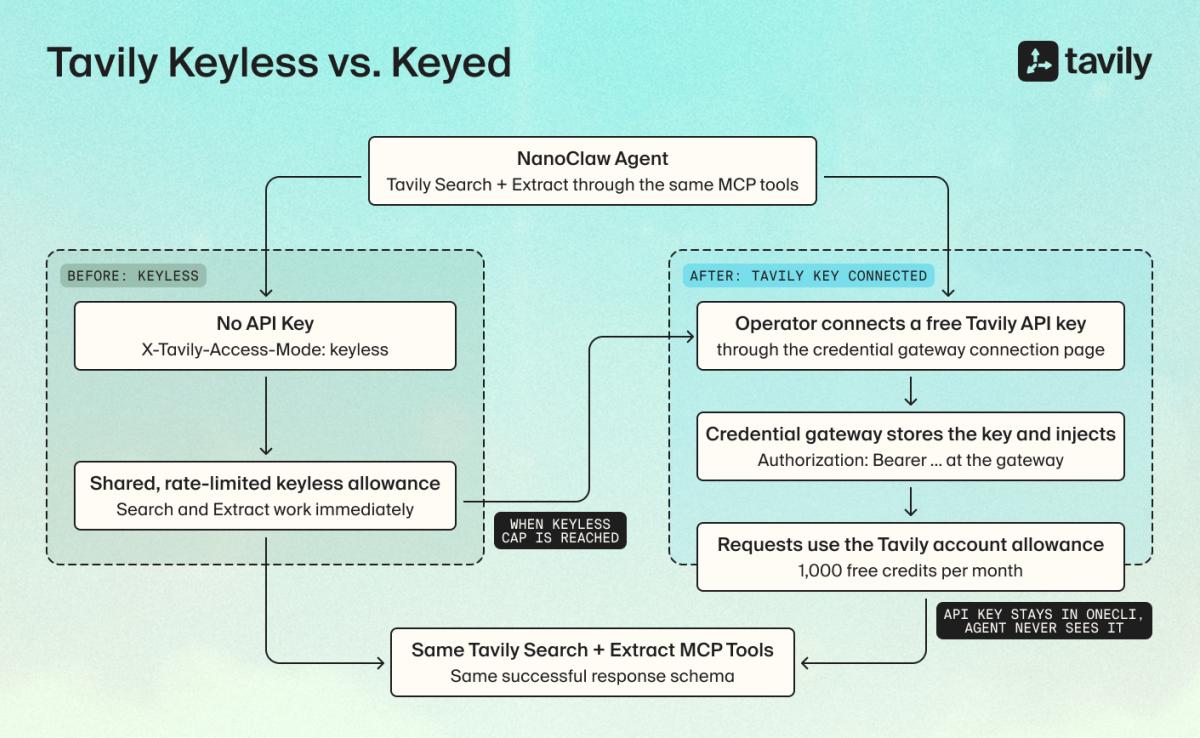
Tavily Search and Extract work without an account or API key. Keyless responses use the standard Tavily schema, although the shared allowance is rate-limited.
When that allowance runs out:
- The agent offers the operator a prefilled credential gateway connection link.
- The operator creates a free Tavily key, which the credential gateway stores and injects into later requests.
- The agent continues with the same tools and response format; the key never enters its prompt or workspace.
What you can build
A scheduled intelligence brief
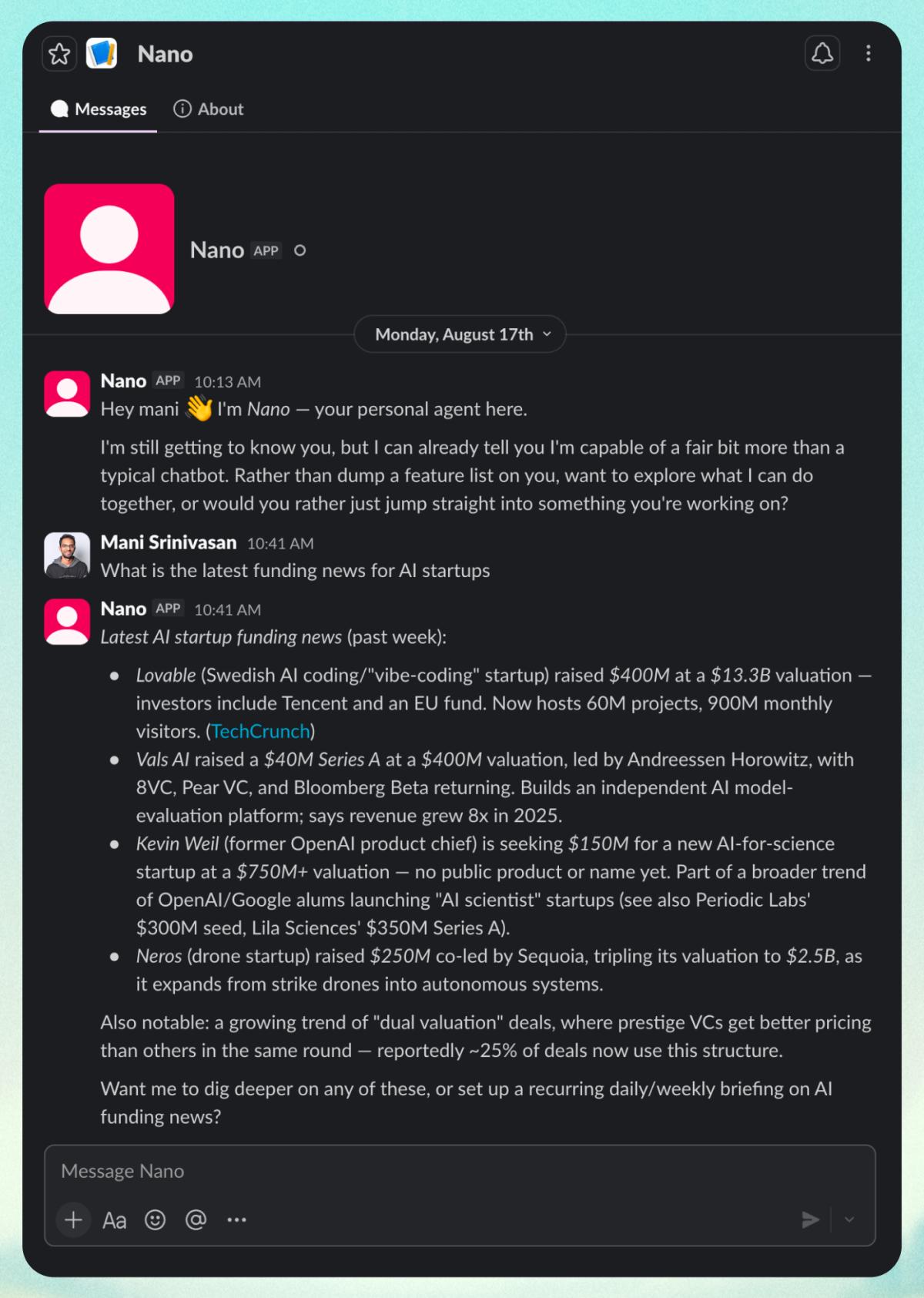
Create a daily or weekly brief for a market, company, or technical topic. NanoClaw runs the schedule and delivers the result, while Tavily finds and reads the latest sources.
A developer research workflow
Ask the agent to compare release notes, current documentation, GitHub issues, advisories, and API references before an upgrade or implementation. It can keep the findings in its workspace for follow-up tasks.
A source-backed chat assistant
Give a team an assistant that answers current questions in Slack or Telegram, reads URLs sent in the conversation, and includes the sources it used.
Setup: how to install Tavily in NanoClaw
Tavily can be enabled for selected NanoClaw agent groups rather than the entire installation.
Prerequisites
- Docker
- A working NanoClaw v2 installation with at least one agent group
- Claude Code
Clone and set up NanoClaw if needed:
git clone http://github.com/nanocoai/nanoclaw.gitcd nanoclawpnpm run setup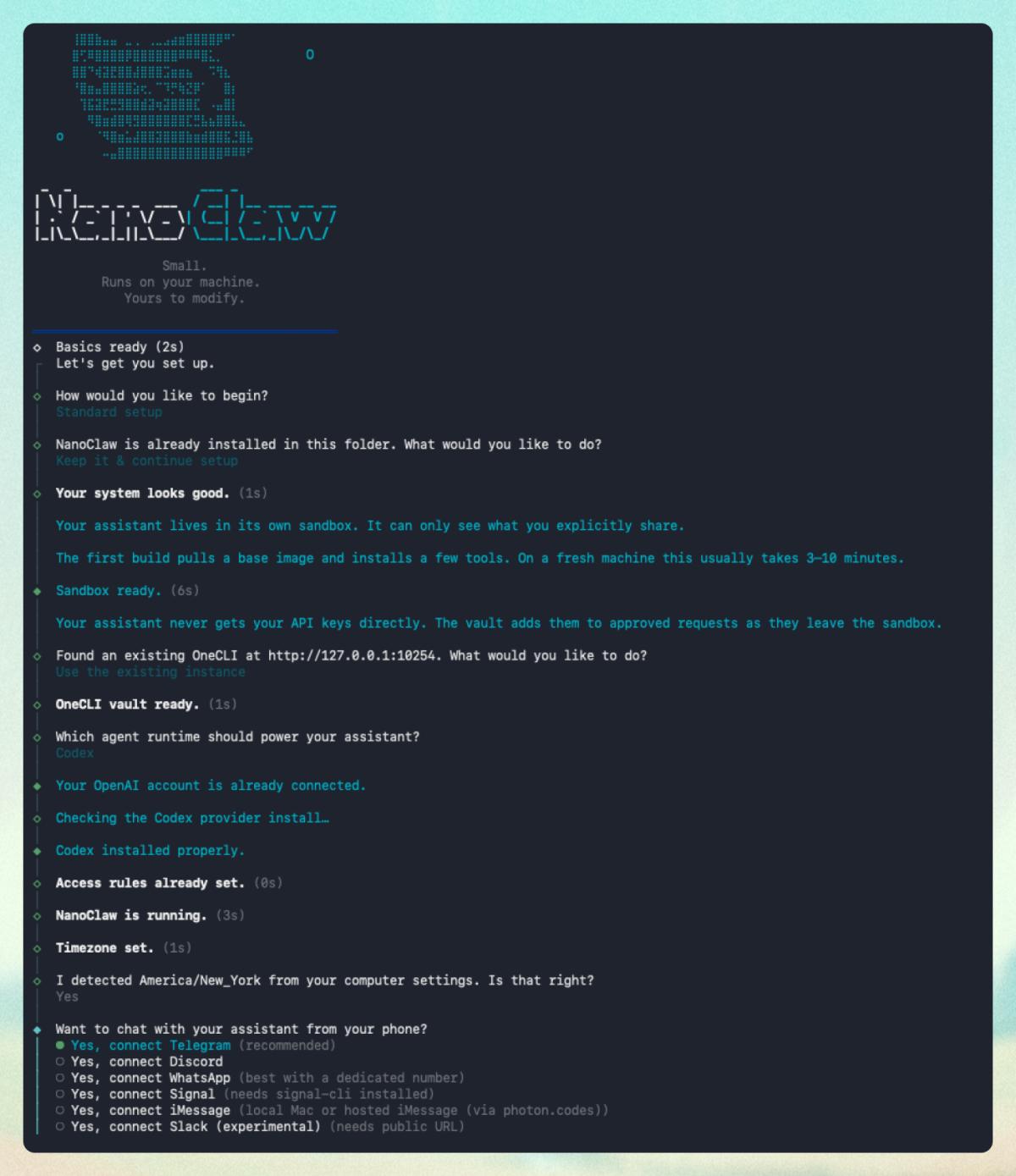
1. Run the Tavily skill
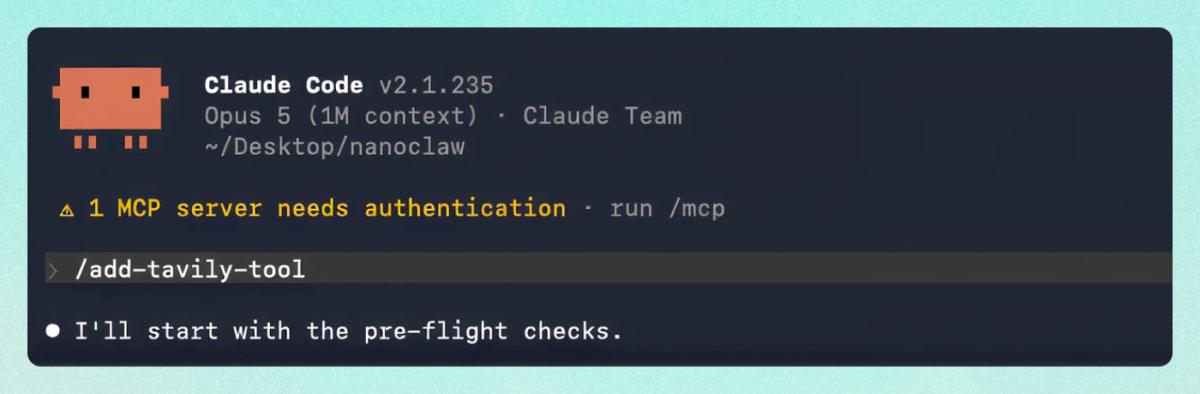
From the NanoClaw repository, start Claude Code:
claudeThen run:
/add-tavily-toolSelect the agent groups that should receive Tavily. The skill shows the available groups before changing anything.
2. Install and register the integration
After confirmation, the skill:
- Installs a pinned mcp-remote dependency, rebuilds the image, and runs its integration test;
- Registers Tavily for the selected groups with keyless headers;
- Exposes Search and Extract, then restarts the groups; and
- Adds the credential gateway instructions used when keyless access reaches its limit.
If an action returns approval-pending, approve it and wait for the completion message. This means NanoClaw is waiting for an authorized operator, not that the installation failed.
Verify a real tool call
Message the selected agent:
Use Tavily to search for the latest NanoClaw release. Return one result and its sourceVerification is complete when the agent calls mcp__tavily__tavily_search and returns a real result.
Try the Tavily-NanoClaw integration
If you’re looking for a way to search and extract current, source-backed answers while using NanoClaw, the Tavily integration will deliver.
Start with one agent group and one real task. Keyless access makes the first test immediate, and the credential gateway provides a secure path to more capacity without changing the tools or workflow.
Get detailed information in our docs →